
Creality K3 3D Printer: Smarter Multicolor and Multi-Material Printing
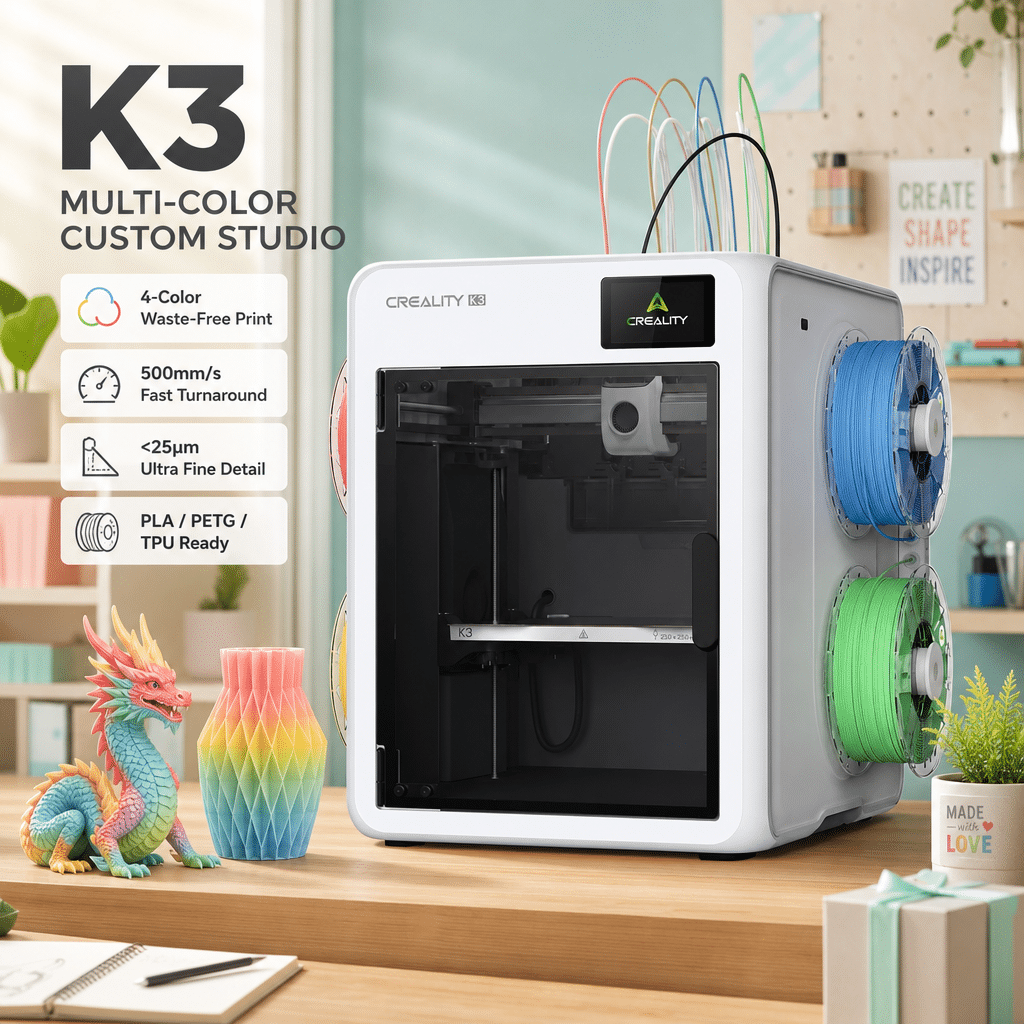
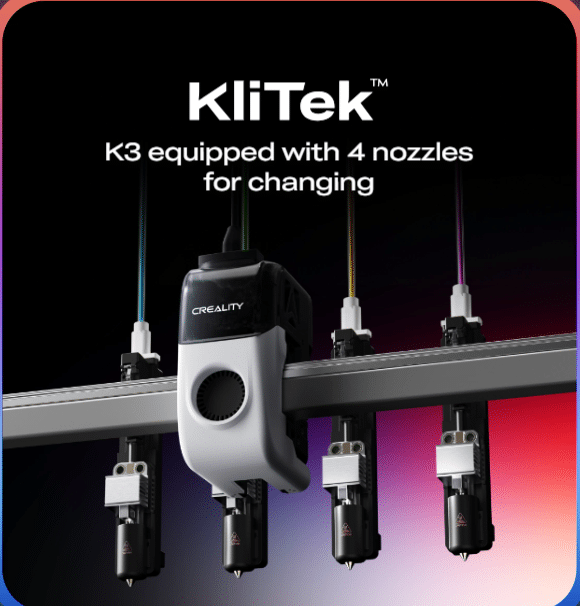
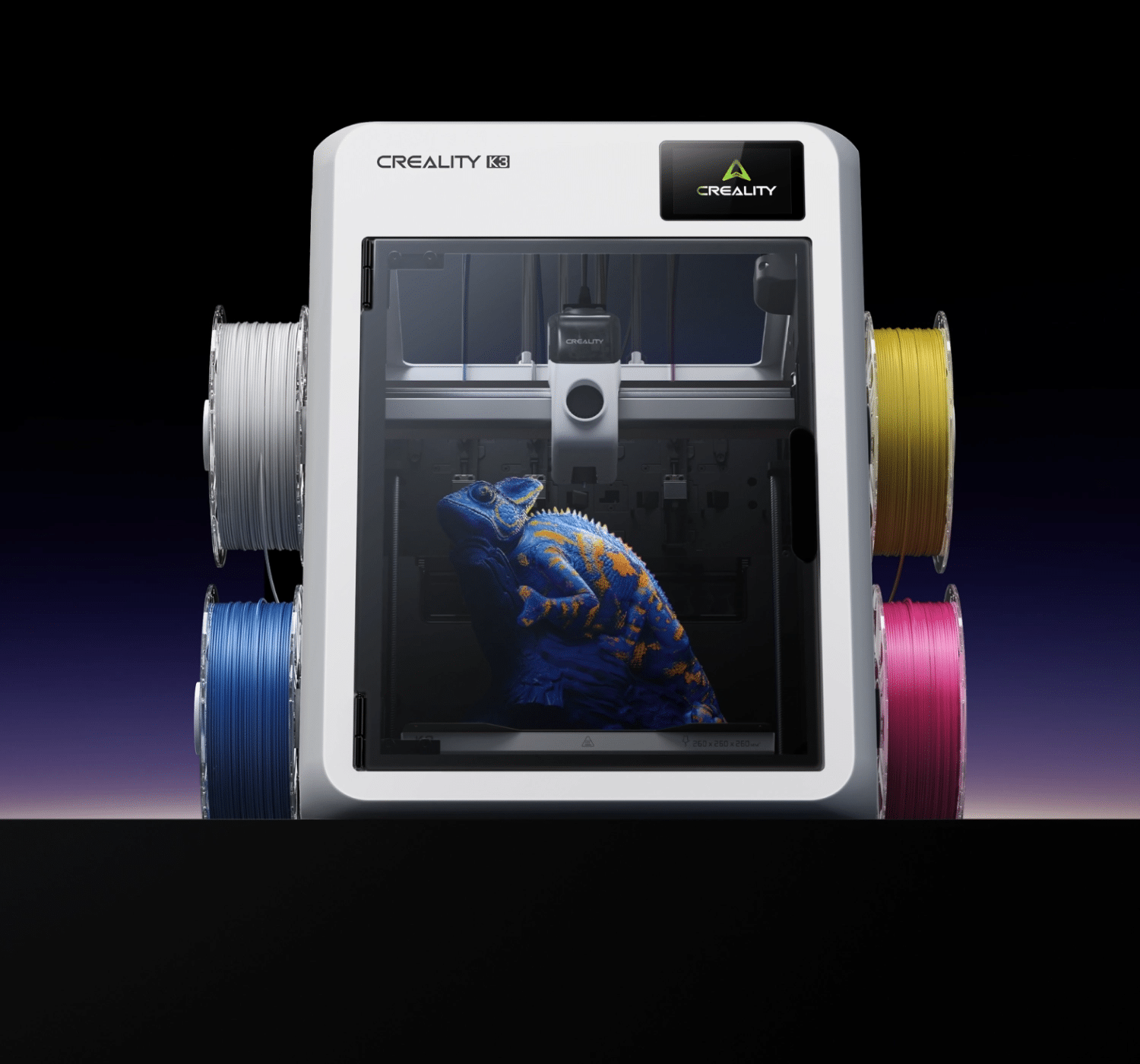
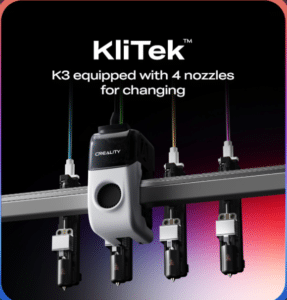
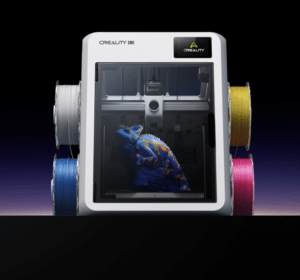
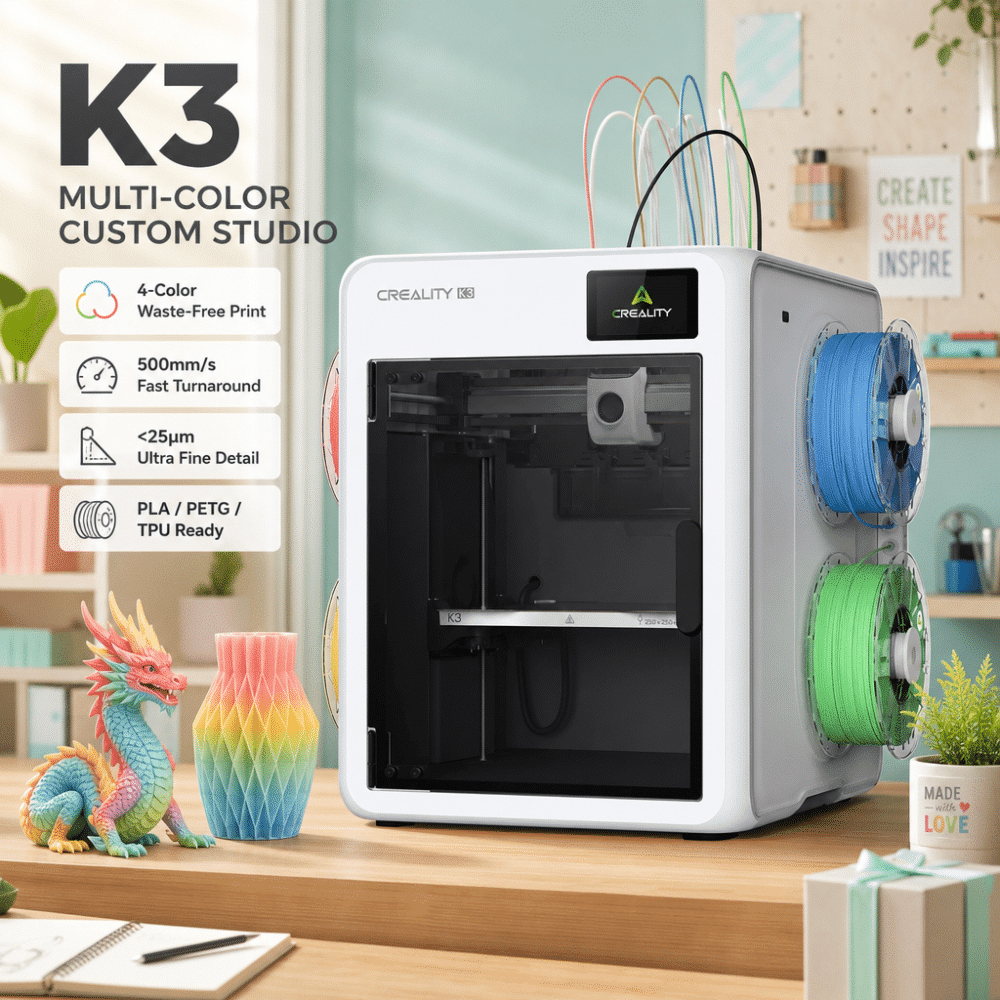
The Creality K3 3D Printer introduces a new approach to multicolor and multi-material FDM printing with four independently selectable nozzles powered by Creality’s KliTek™ nozzle-changing technology. Designed for creators who want more colors, less filament waste and greater printing efficiency, the K3 combines fast nozzle switching, intelligent monitoring and flexible material options in one advanced 3D printing system.
With a 260 × 260 × 260 mm build volume and printing speeds of up to 500 mm/s, the Creality K3 is suitable for detailed models, functional prototypes, personalized products and small-batch manufacturing. Its four-nozzle architecture allows different colors or compatible materials to remain loaded in separate paths, reducing the repeated filament unloading, reloading and purging associated with many conventional single-nozzle multicolor workflows.
1. Four Independent Nozzles for Efficient Multicolor Printing
Traditional single-nozzle multicolor printers often need to retract one filament, load another and flush residual material before continuing. This process can increase printing time and create substantial filament waste, particularly on models with frequent color changes.
The Creality K3 uses four independently selectable nozzles. Each nozzle has its own filament path, allowing different colors or compatible materials to remain ready for use throughout a print.
Powered by KliTek™ technology, the system can complete a nozzle change in approximately 4.8 seconds under the manufacturer’s stated conditions.
Key benefits include:
Automatic nozzle switching during printing
Up to four readily available colors or materials
Less repeated filament unloading and reloading
Reduced purging compared with conventional single-nozzle workflows
More efficient production of complex multicolor models
Creality reports potential savings of up to 80% in overall print time and 85% in filament use for selected comparisons. Actual results depend on the model, material combinations, number of color changes and slicing settings.
2. High-Speed Printing with a 260 mm Build Volume
The K3 combines a generous build area with a high-speed motion system, helping users produce everything from decorative models to functional components.
Its 260 × 260 × 260 mm build volume accommodates a wide range of everyday 3D printing projects without requiring a larger industrial machine.
With a maximum stated printing speed of 500 mm/s and acceleration of up to 20,000 mm/s², the K3 is designed to handle demanding workflows while maintaining consistent print quality.
Actual printing speed varies according to the model’s geometry, material, nozzle configuration, extrusion flow and selected quality settings. For detailed surfaces and precision parts, choosing a suitable profile is more important than simply selecting the highest possible speed.
3. CMYK Filament Mixing for Creative Color Effects
The Creality K3 supports an innovative CMYK filament workflow that expands the creative possibilities of multicolor 3D printing.
By combining cyan, magenta, yellow and black filaments in carefully controlled layers and ratios, the printer can create a broader range of visual color effects. Material translucency also contributes to the appearance of blended colors.
This approach is useful for decorative models, figurines, display pieces, artistic objects and personalized gifts.
Unlike painting a finished print by hand, filament-based color effects are integrated into the printing process itself.
Color mixing does not guarantee an exact match to every digital color or standardized color reference. Final results depend on filament properties, layer thickness, lighting and model geometry.
4. Advanced TPU Printing for Flexible Applications
Flexible filament printing can be challenging because soft materials are more difficult to feed consistently through a conventional extrusion system.
The K3 incorporates Creality’s S-Drive™ feeding technology and optimized extrusion algorithms to improve the handling of TPU materials.
According to Creality, its TPU 95A workflow can reach a maximum flow rate of 15 mm³/s under specified conditions, described by the manufacturer as up to seven times the flow rate of conventional consumer printers.
Depending on the material configuration and required accessories, the system supports applications involving TPU 95A and softer TPU grades such as 90A and 85A.
Potential applications include:
Flexible protective covers
Wearable accessories
Shock-absorbing components
Soft grips and handles
Flexible prototypes
Multicolor flexible models
For the best results, use compatible TPU filament profiles and follow the recommended material preparation and feeding procedures.
5. Multi-Material Printing and Cleaner Supports
The four-nozzle architecture also makes the K3 suitable for compatible multi-material printing.
Users can assign different materials to different nozzles, making it easier to combine model materials with support materials or incorporate multiple material properties into a single design.
For example, a PLA model can use PETG as a breakaway support material when the material pairing and slicing profile are appropriate. Certain soluble support materials can also be used with compatible configurations.
This approach can help reduce the time spent removing supports and improve the finish of complex surfaces.
Material compatibility remains important. Different filaments may have different printing temperatures, shrinkage characteristics and bonding behavior, so the material combination should be tested before production.
6. Flexible Nozzle Options for Detail and Productivity
The K3 platform is designed to support nozzle diameters of 0.2 mm, 0.4 mm, 0.6 mm and 0.8 mm.
Smaller nozzles are useful for fine features and detailed surfaces, while larger nozzles can deposit more material per pass and improve productivity on suitable models.
A mixed-nozzle workflow can potentially combine detailed outer surfaces with faster infill printing.
Creality reports efficiency improvements of up to 30% in selected mixed-nozzle comparisons. However, the standard K3 configuration includes 0.4 mm nozzles, and the additional multi-nozzle kit is sold separately.
Mixed-diameter printing also depends on compatible firmware, slicer settings and officially supported configurations. Confirm current software support before planning a production workflow around this feature.
7. Intelligent Monitoring and Automated Protection
Reliable printing involves more than motion speed. Monitoring and error prevention can also help reduce failed prints and unnecessary material consumption.
The Creality K3 integrates 37 sensors for real-time monitoring and system protection. Its intelligent features include checks designed to identify potential problems before or during printing.
These functions include:
Foreign-object detection before printing
Build plate presence detection
AI-assisted spaghetti detection
Nozzle-change monitoring
Automated preparation checks
Calibration support for consistent nozzle positioning
When the system identifies certain printing abnormalities, it can pause the print and notify the user, helping limit potential damage and wasted filament.
These functions are designed to assist users rather than eliminate every possible printing failure. Regular maintenance, correct material settings and suitable model preparation remain important.
8. High Repeatability and a Stable Mechanical Structure
Switching between nozzles requires accurate positioning to ensure that different colors and materials align correctly.
The K3 combines its nozzle-changing mechanism with calibration procedures, a reinforced structure and integrated sensor monitoring.
Creality specifies repeatability below 25 μm and reports extensive nozzle-change testing in its own laboratory.
The system is designed to maintain accurate positioning during repeated tool changes, helping support clean multicolor boundaries and consistent model geometry.
Actual print quality depends on several factors, including calibration, material condition, nozzle maintenance, model design and the selected print profile.
9. USB-C Quick-Swap Nozzle Design
The K3 uses a modular nozzle assembly designed to simplify maintenance and replacement.
Its quick-swap design integrates the nozzle, hotend and visible filament path into an assembly connected through a USB-C interface.
This approach can make routine servicing more straightforward by allowing users to focus on the nozzle assembly that needs attention instead of replacing the entire multi-nozzle system.
Following the manufacturer’s maintenance and calibration instructions after component replacement helps maintain reliable operation.
10. An Open and Expandable Software Ecosystem
The Creality K3 works with Creality Print and the wider Creality software ecosystem to prepare models, manage slicing settings and organize printing workflows.
Creality Cloud also provides access to a large library of printable models, helping users discover ideas for home decor, collectibles, practical tools and personalized products.
Compatible workflows can include preparing a model, selecting materials, configuring the print profile and sending the job to the printer.
For users who want to explore advanced configurations, Creality also highlights its open ecosystem approach and native root-access integration.
Software functionality and compatibility can change with firmware and application updates. Check the latest official documentation before using advanced customization features.
11. Applications for Makers, Studios and Small Businesses
The Creality K3 is suitable for users who need more flexibility than a conventional single-nozzle printer can provide.
Multicolor Model Production
Create figurines, character models, decorative objects and display pieces with multiple colors integrated into the print.
Functional Prototyping
Produce product concepts, mechanical components, enclosures and design iterations using compatible materials.
Flexible Product Development
Explore TPU components, protective accessories and flexible prototypes.
Education and Maker Projects
Support hands-on learning in 3D design, material science, product development and digital manufacturing.
Small-Batch Manufacturing
Produce personalized items and repeatable small production runs with reduced manual color-change work.
Custom Gifts and Collectibles
Develop detailed models, personalized decorations and multicolor products for creative businesses.
Why Choose the Creality K3?
The Creality K3 combines four independently selectable nozzles, high-speed FDM printing and advanced material flexibility in one system.
Its key advantages include:
KliTek™ four-nozzle changing technology
Approximately 4.8-second nozzle changes under specified conditions
Reduced purging in many multicolor workflows
260 × 260 × 260 mm build volume
Printing speeds up to 500 mm/s
Acceleration up to 20,000 mm/s²
CMYK filament color effects
Advanced TPU printing capabilities
Compatible multi-material and support workflows
37 integrated sensors
AI-assisted printing protection
Modular nozzle assemblies
Creality Print and Creality Cloud ecosystem
For makers, designers and small businesses that regularly print in multiple colors or materials, the K3 offers an alternative to conventional single-nozzle multicolor workflows, with a focus on switching efficiency, material flexibility and automated operation.

Reviews
There are no reviews yet.